Overview Tab
The Overview tab is the default view of the package details page. It gathers everything you need to install and inspect the current version of a package or extension: install code, key facts, README, dependencies, security data, and links out to upstream sources.
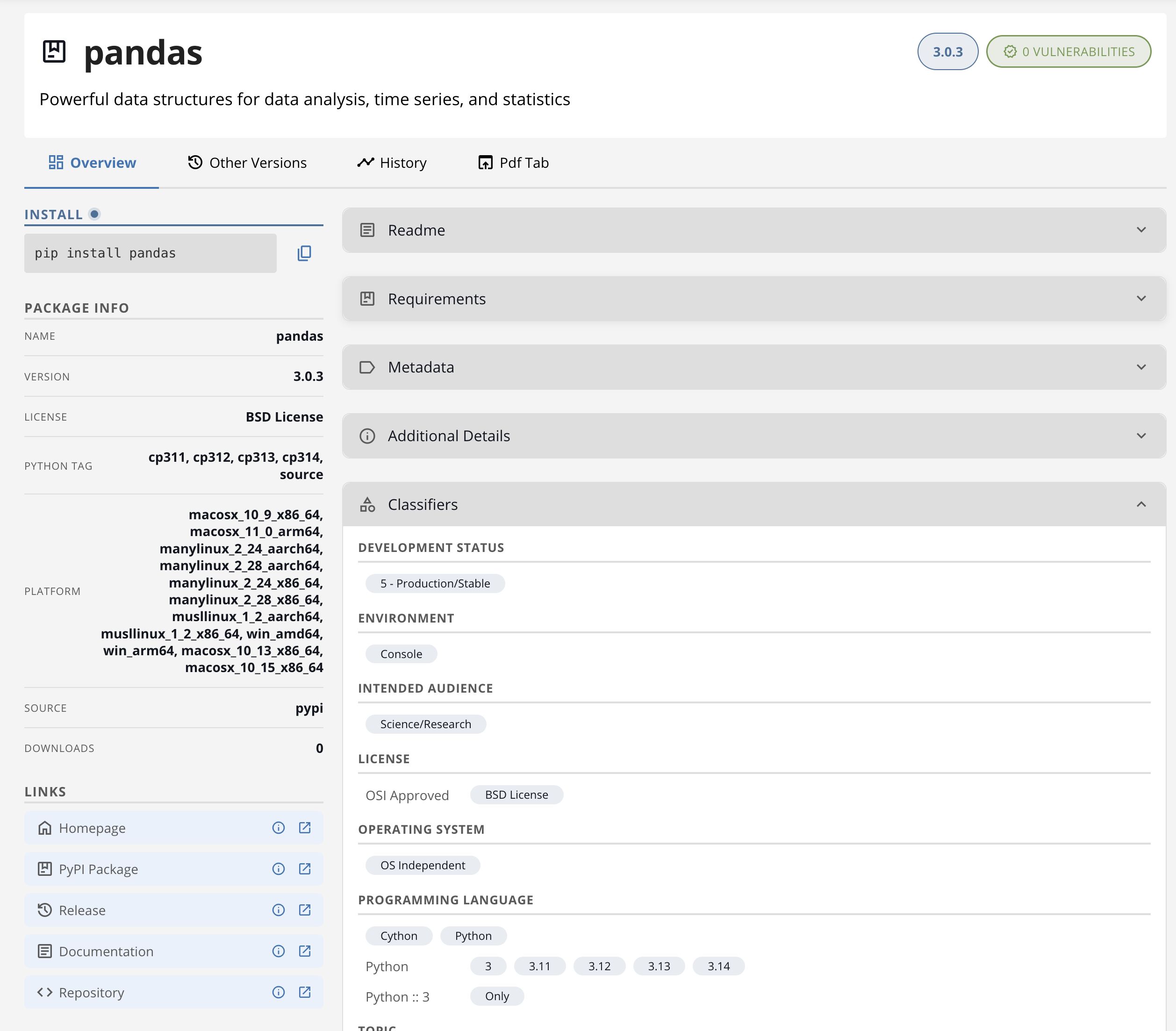
Structure
The tab lays out content in two columns:
- A sidebar of at-a-glance facts on the left.
- A main column of expandable sections on the right.
Expandable sections remember their open and closed state across page refreshes for the rest of your browsing session.
The exact contents of both columns depend on the repository type. Use the tabs below to see what to expect for R, Bioconductor, Python, and Open VSX.
R and Bioconductor packages share the same Overview shape.
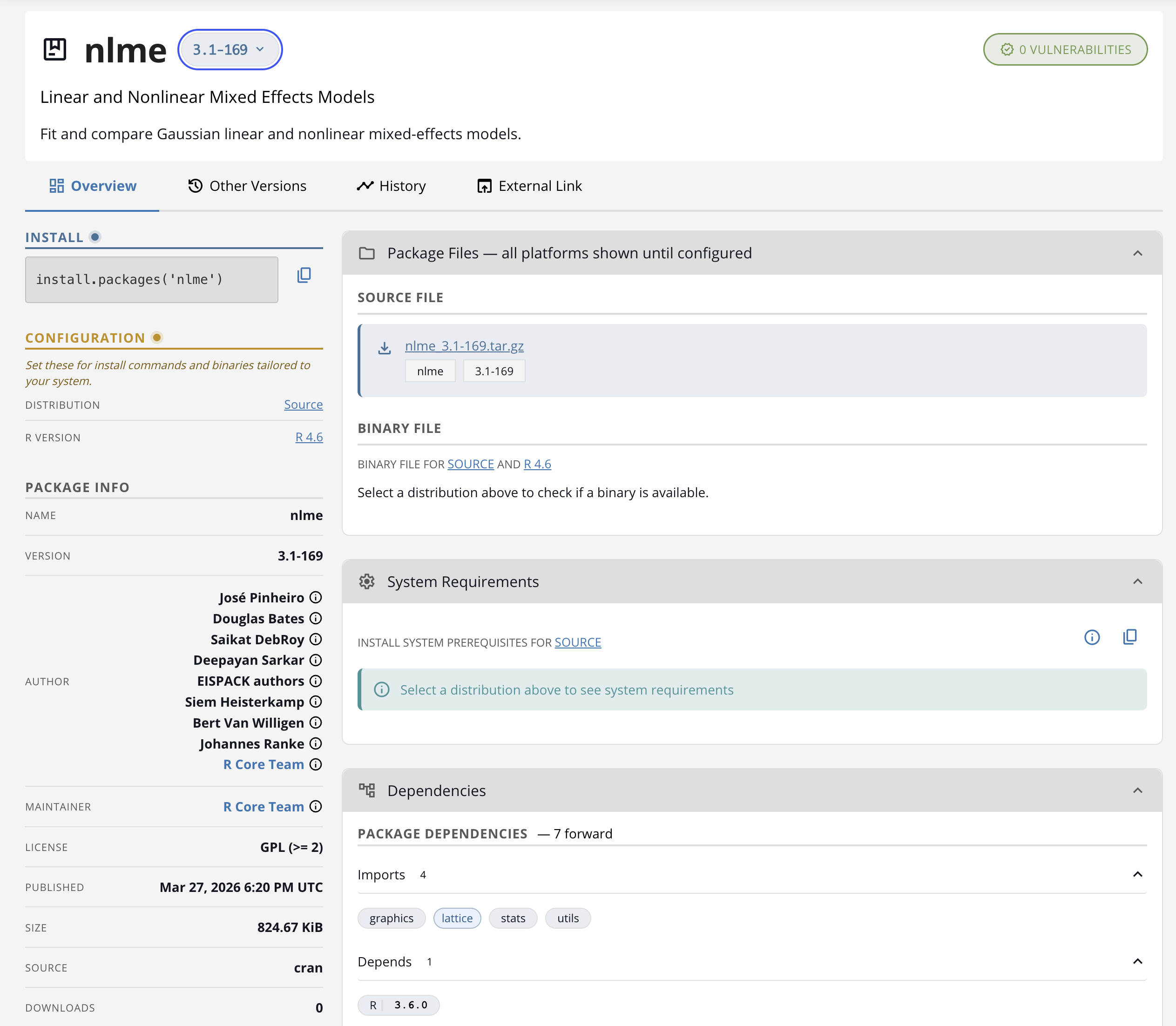
Hero (top of the page):
- Package name and current version.
- A version selector when the package has multiple version variants pinned to architectures or distributions. Select a different variant to switch what the rest of the page shows.
Sidebar:
- Installation code — a copy-ready
install.packages()snippet. - Configuration — a card that is visually highlighted until you choose a distribution. Pick the distribution that matches your environment (and, for non-Bioconductor R packages, the R version you are using). Once selected, the card collapses out of the way, and the Package Files section below updates to show binaries and sources that match your choice.
- Publisher, License, and Published date.
- Links — homepage, repository, bug tracker, and other external links the package declares.
- Package Files — binary and source artifacts for the selected distribution.
- System Requirements — installation commands for any extra system libraries this package needs in your selected distribution.
Main column:
- README — rendered Markdown from the package’s README file, when one is available.
- Description — the package’s full long-form description.
- Dependencies — Imports, Depends, Suggests, and LinkingTo lists, each expandable.
- Security Vulnerabilities — known CVEs that affect this package, sourced from OSV. Auto-expands when the package is blocked.
- Metadata — any backend-supplied custom metadata.
The Configuration card highlight is a prompt, not a warning. The page still works without a distribution selected — picking one just narrows the Package Files and System Requirements to the artifacts that match your environment.
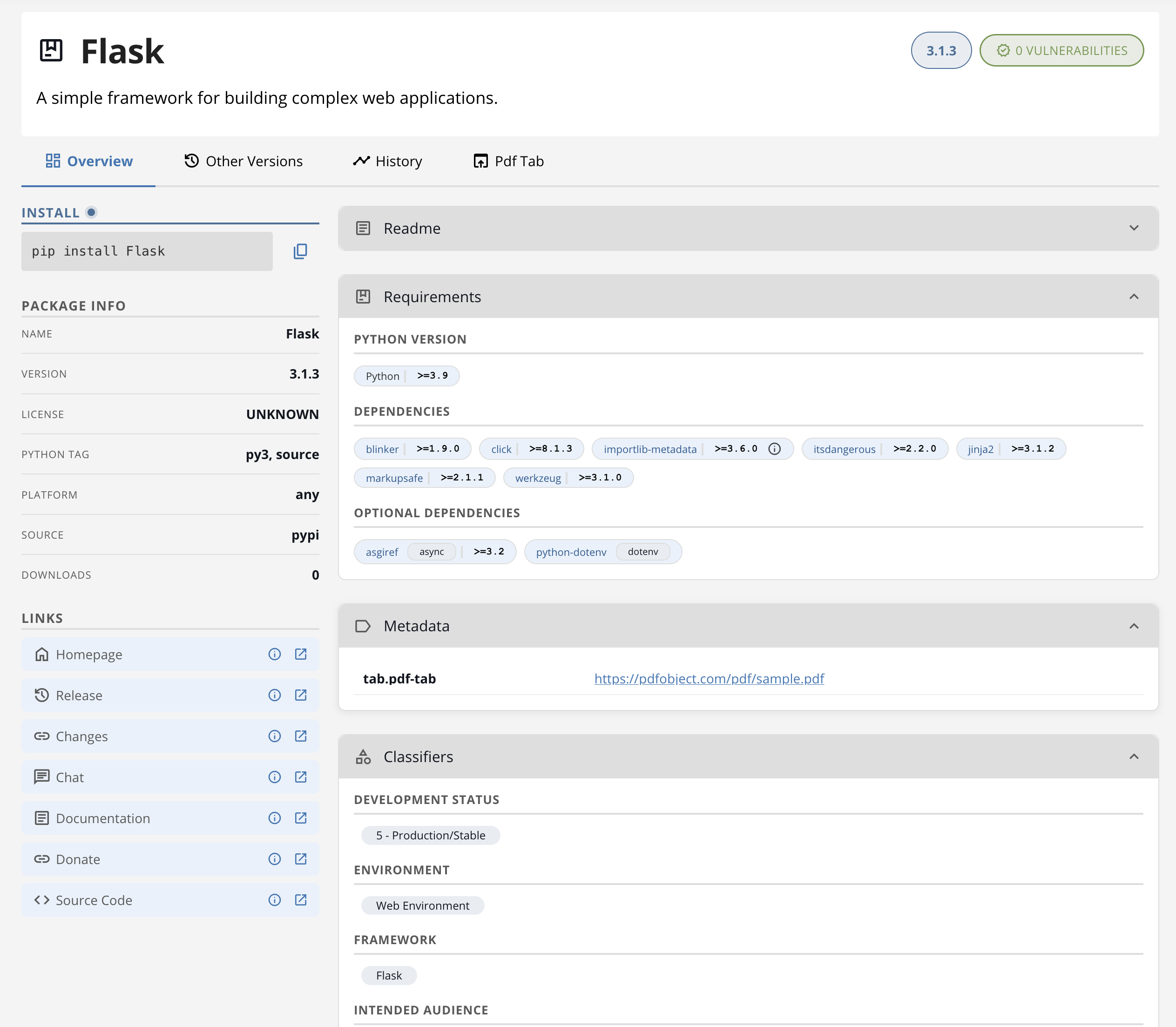
Hero:
- Package name, current version, and the package summary.
Sidebar:
- Installation code — a copy-ready
pip installsnippet. - Package Info — publisher, license, total downloads.
- Links — Homepage, Documentation, Repository, PyPI page, Release notes, Bug Tracker, Download.
- Keywords — keywords the package declares in
info.keywords. - Technical Details — MD5 and SHA256 hashes, and the upstream download URL.
Main column:
- README — rendered from the package’s long description, when one is available.
- Requirements — Python version, dependencies, and optional dependencies (extras), each expandable.
- Security Vulnerabilities — known CVEs that affect this package, sourced from OSV. Auto-expands when the package is blocked.
- Metadata — any backend-supplied custom metadata.
- Classifiers — the package’s PyPI classifiers.
- Additional Details — author email and the upstream remote SHA.
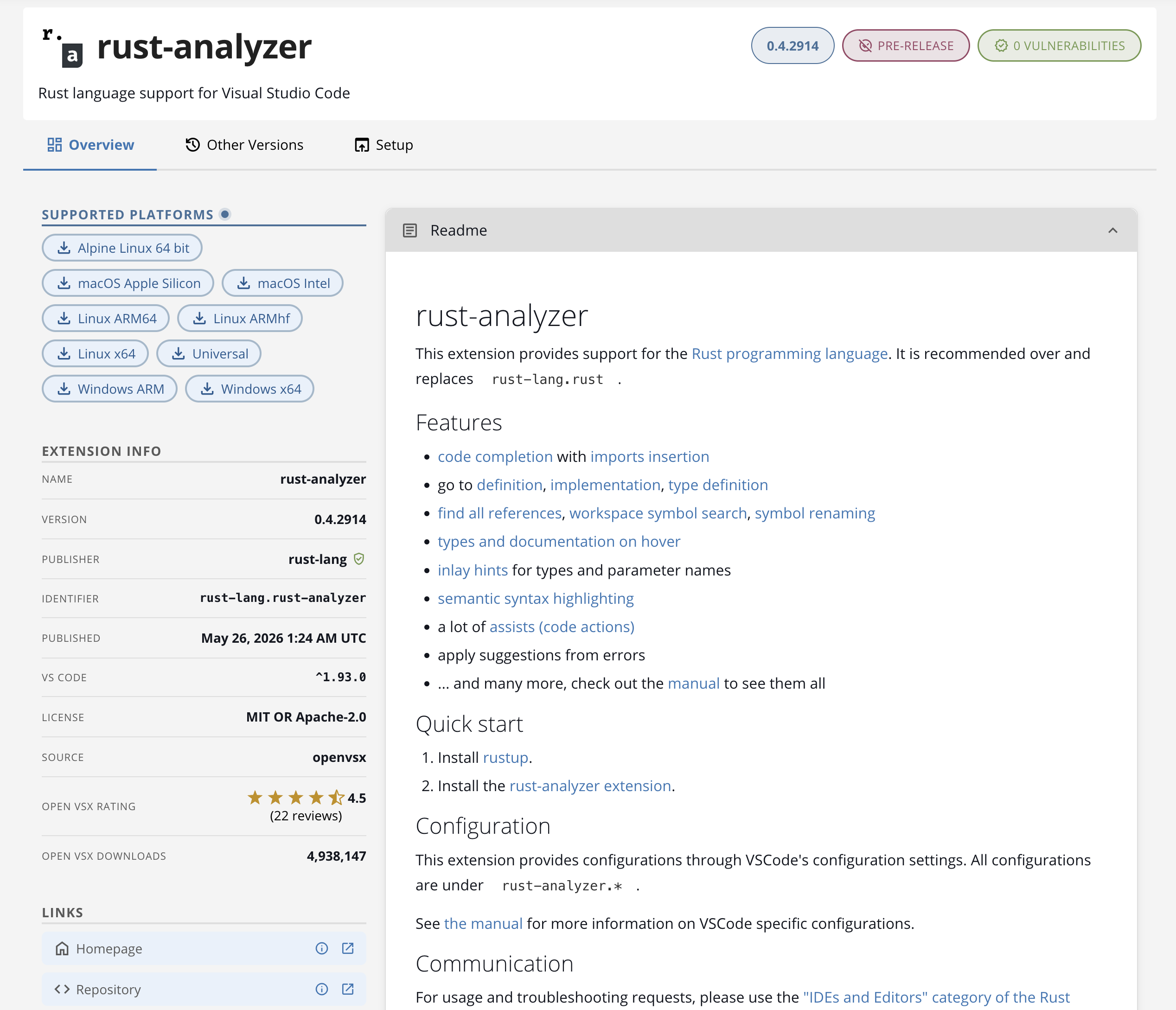
Hero:
- Extension icon (when the publisher provides one).
- Display name — falls back to
publisher.extension-namewhen no display name is set. - Publisher namespace and a short description.
Sidebar:
- Supported Platforms — one chip per platform variant the extension publishes (for example, Linux x64, macOS ARM64, Windows x64). Click a chip to download the matching
.vsixartifact. Extensions that ship a single platform-independent build show a single Download chip instead. - Extension Info — a stat list with:
- Name (display name or
publisher.extensionfallback). - Version — the latest version.
- Publisher — the namespace, with a green verified-publisher badge when the publisher is verified on Open VSX.
- Identifier — the canonical
publisher.extensionidentifier, in monospace. - Published — a formatted timestamp.
- VS Code — the editor version range the extension declares it supports (for example,
^1.77.0). - Positron — the Positron version range, when the extension declares one.
- License.
- Source — link to the source repository.
- Open VSX Rating — stars and review count, when the extension has reviews.
- Open VSX Downloads — total downloads, formatted.
- Monthly Downloads — recent download count from Package Manager’s own metrics.
- Name (display name or
- Links — additional external links the extension declares.
Main column:
- README — the extension’s README, rendered inline.
- Categories — categories the extension declares (for example, Programming Languages, Themes).
- Tags — tags the extension declares. Internal markers prefixed with
__— used by the Open VSX backend for filtering — are hidden from the UI. - Bundled Extensions — for extension packs, the list of extensions the pack installs. Each entry is a link to that extension’s package details page.
- Dependencies — for extensions that declare extension dependencies, the list of required extensions.
- Security Vulnerabilities — known CVEs that affect this extension. Auto-expands when the extension is blocked.
- Metadata — any backend-supplied custom metadata for the current version.
Pre-release and Preview are different concepts. Pre-release is a marker on a specific version — see the Other Versions tab. Preview is a marker on the whole extension and shows as a banner at the top of the main column.
Switching tabs
The Overview tab is one of several views of the same package. To dig deeper:
- See Other Versions Tab to browse every release the repository serves.
- See History Tab (R, Bioconductor, and Python only) for a chronological timeline of availability and snapshot URLs.
- See Changelog Tab for Open VSX extensions that publish a changelog file.
- See Custom Tabs for additional tabs configured by administrators through package metadata.