Changelog Tab
The Changelog tab on the package details page shows an Open VSX extension’s release notes inline, without leaving Posit Package Manager.
The Changelog tab is Open VSX only. It appears on a package details page when the extension publishes a CHANGELOG.md (or equivalent changelog asset) alongside its .vsix artifact. Extensions without a changelog file do not show the tab at all.
To open the tab, click Changelog in the tab row above the package layout.

Structured timeline
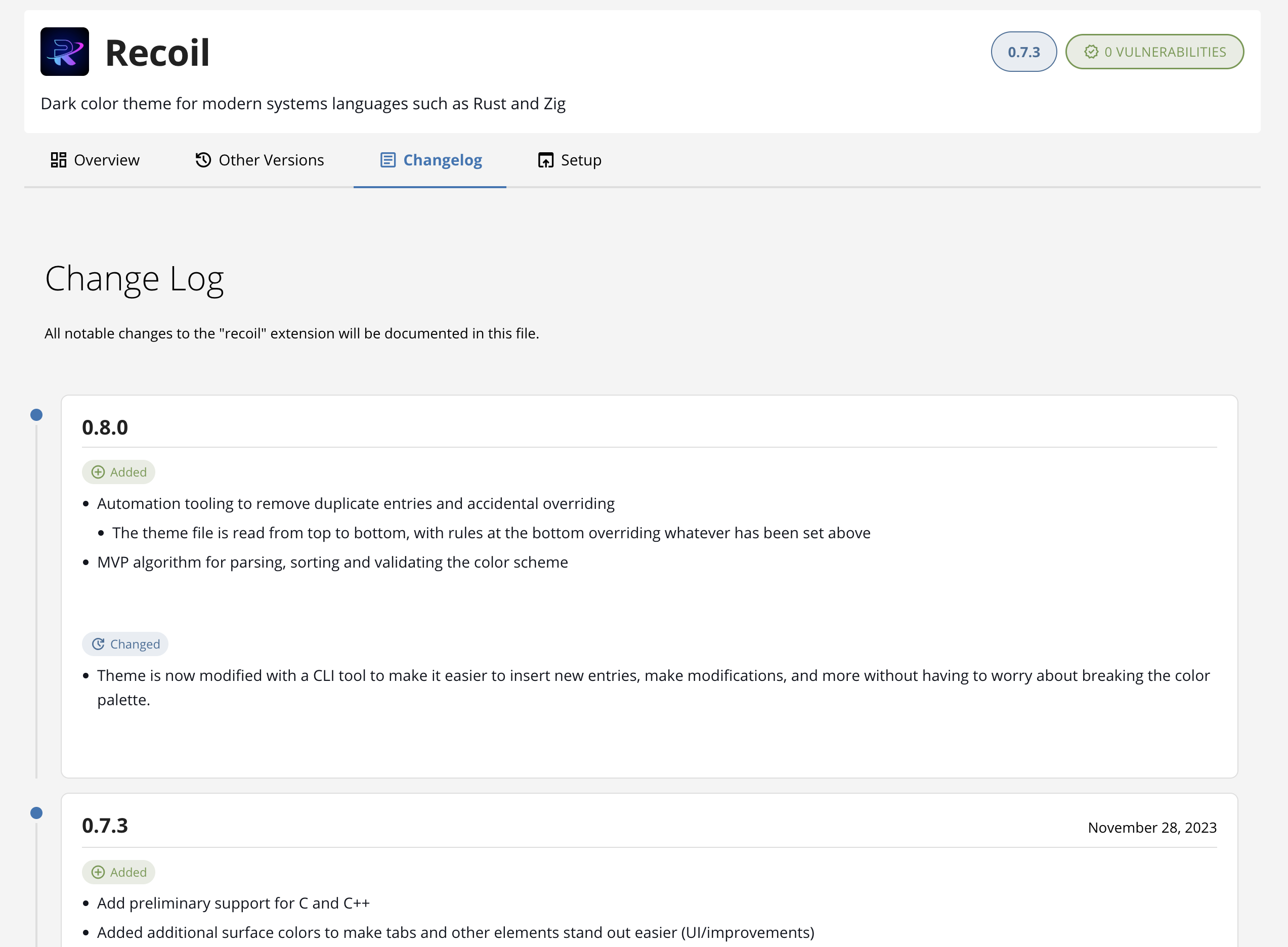
When the extension’s changelog follows a recognizable per-version layout (Markdown headings like ## 1.2.0 or ## [1.2.0] — 2026-04-01, for example), Package Manager parses it into a structured timeline:
- Each version becomes a collapsible entry, newest first.
- The version number and (when present) the release date appear in the entry header.
- The body of each entry renders the publisher’s release notes as Markdown.
Click a version header to expand or collapse the entry. The most recent version is expanded by default.
Markdown fallback
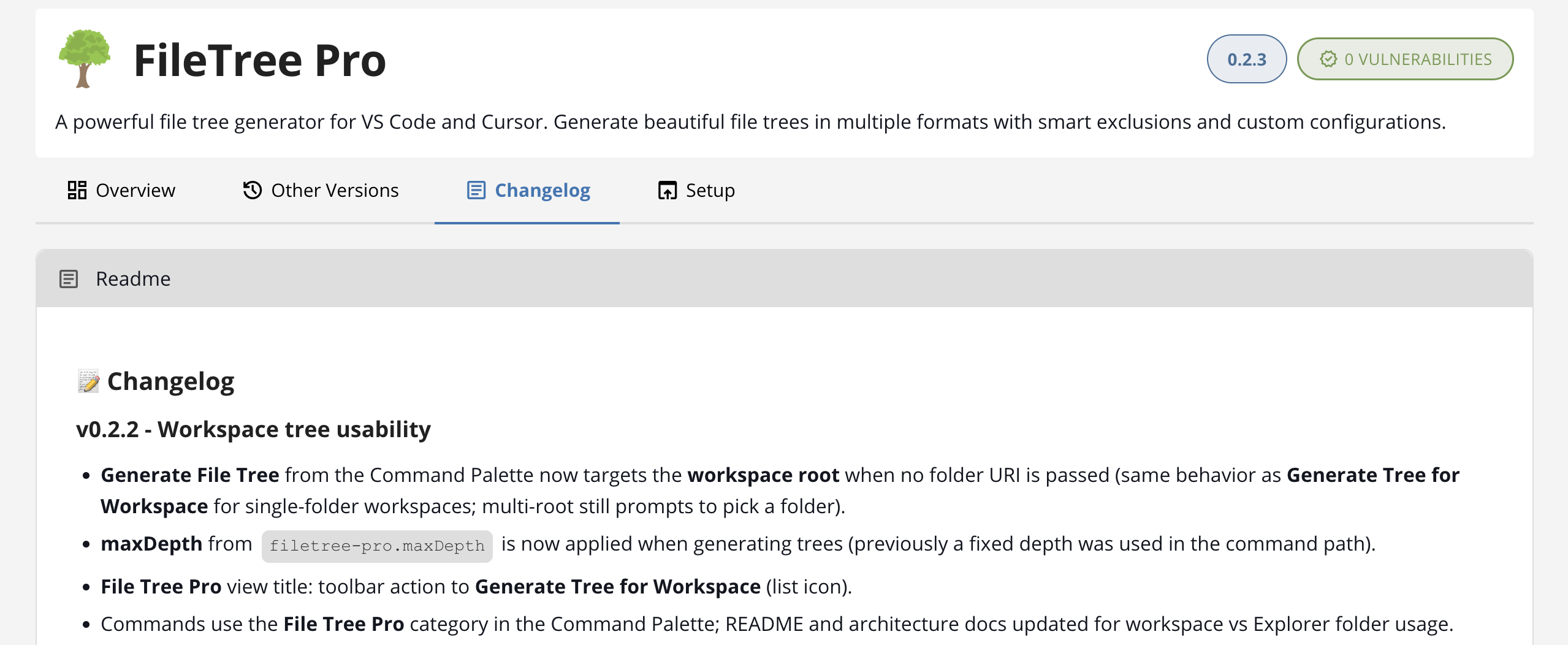
When the changelog does not follow a per-version layout (a long-form changelog without version headings, or notes written in plain prose, for example), Package Manager renders the file as a single block of Markdown instead of a timeline. You see the same content the publisher wrote, formatted as the README is on the Overview tab.
No changelog available
When the extension does publish a CHANGELOG.md but its content is empty, the tab shows a No changelog available message. Extensions that do not publish a changelog file at all simply do not show the Changelog tab.
See also
- Other Versions Tab — every published version with per-version vulnerabilities, platform downloads, and editor compatibility.
- Overview Tab — the extension’s README, sidebar facts, and links to the publisher’s repository.